
 NinjaOne Beta
Back up supported device details, configuration, knowledge base content, and permitted attachments.
See supported data for NinjaOne Choose NinjaOneFree RMM Data Export
Connect your RMM, back up supported records, and download your copy.
Check your platform's supported data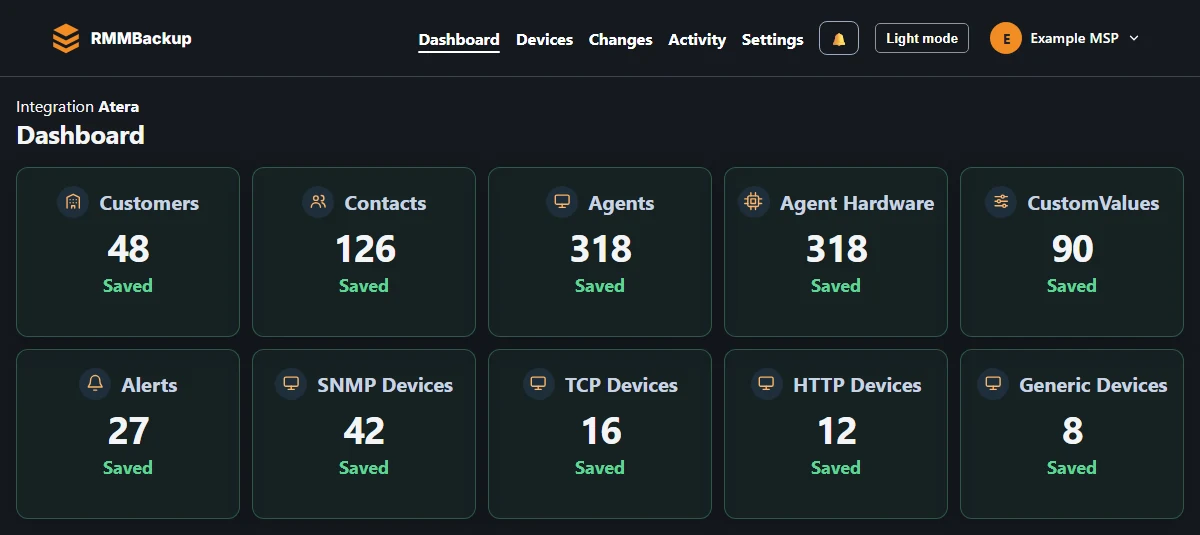
Keep a copy of the records your team needs. Available data depends on your platform and account access.
Exports cover RMM platform records. Endpoint files and disk images need a separate backup.
Want daily backups and more history? Email support for a free upgrade during open beta.
Choose your platform
You need API access to your platform account. Your vendor's plan and permissions may limit what you can export.
NinjaOne BetaBack up supported device details, configuration, knowledge base content, and permitted attachments.
See supported data for NinjaOne Choose NinjaOne Atera Beta
Back up supported device inventory, customers, contacts, alerts, and custom fields.
See supported data for Atera Choose Atera Action1
Back up supported inventory, patch records, configuration, and available history.
See supported data for Action1 Choose Action1 Datto RMM Beta
Back up supported site, device, patch, alert, and activity records.
See supported data for Datto RMM Choose Datto RMM Syncro
Includes customers, contacts, assets, alerts, documentation, and settings.
See supported data for Syncro Choose Syncro N-able N-sight
Back up supported inventory, clients, sites, checks, alerts, and settings.
See supported data for N-able N-sight Choose N-able N-sight Hudu
Back up supported companies, assets, articles, procedures, and network documentation.
See supported data for Hudu Choose Hudu Automox
Back up supported inventory, policies, Worklets, and available activity.
See supported data for Automox Choose Automox SuperOps
Back up supported inventory, client details, alerts, scripts, and documentation.
See supported data for SuperOps Choose SuperOps Domotz
Back up supported device inventory, network details, monitoring settings, and available configuration history.
See supported data for Domotz Choose Domotz OptiTune Beta
Back up supported inventory, group relationships, task definitions, and available results.
See supported data for OptiTune Choose OptiTune Level
Back up supported inventory, groups, tags, and custom fields.
See supported data for Level Choose Level Gorelo
Back up supported managed agents, custom assets, client details, uptime checks, and alerts.
See supported data for Gorelo Choose GoreloInside your download
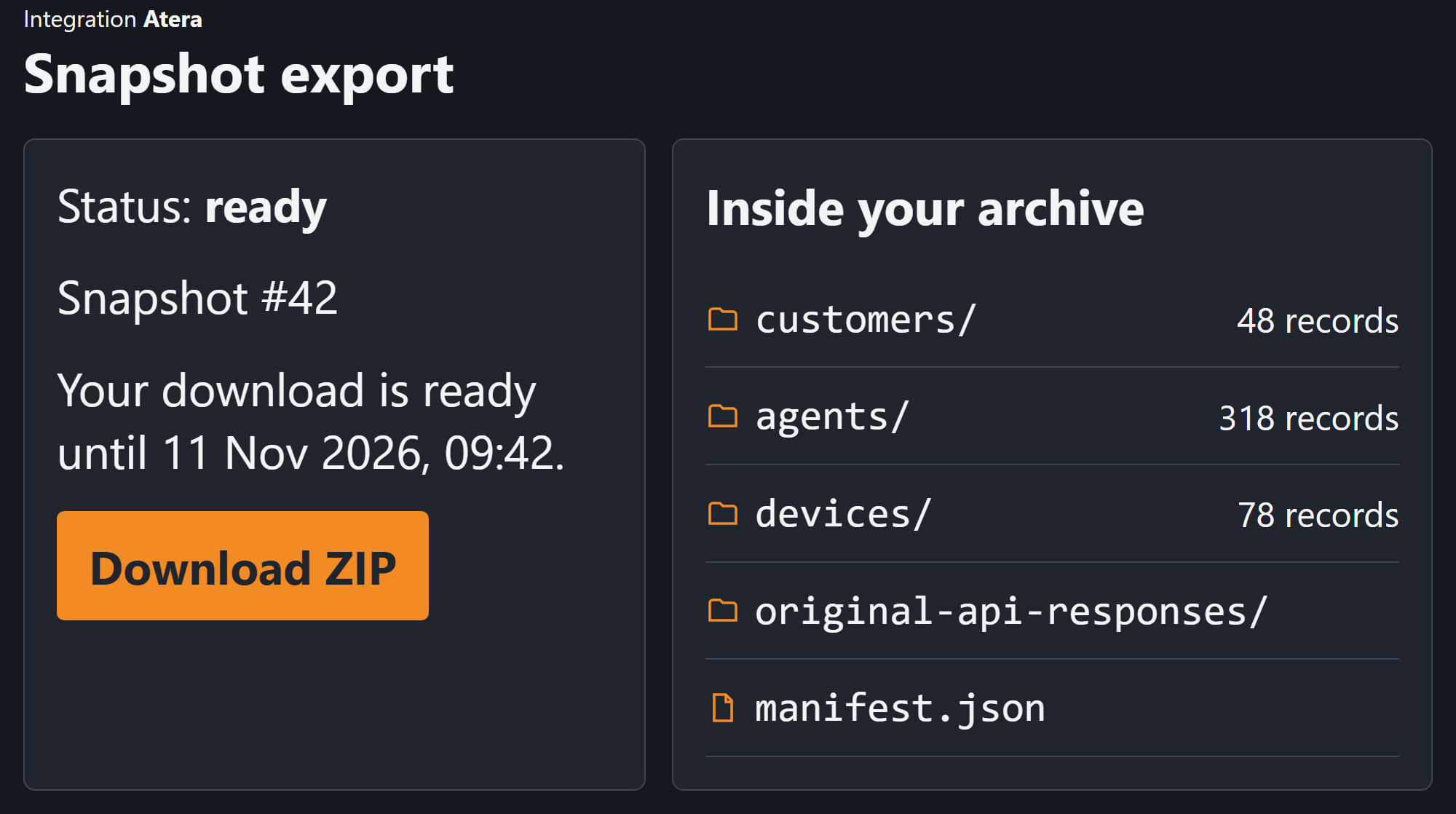
Download a ZIP with your saved records, a backup summary, and original responses. Records are JSON files that preserve their detail.
Atera exports can include customers, contacts, devices, hardware details, alerts, and custom fields. Available records vary by platform and your selection.
Planning a move? Use your destination platform's own import tools. Review Atera export formats and coverage.
Atera · Snapshot ZIPBetasnapshot.zip
├── manifest.json
├── customers/
│ └── 1001.json
├── agents/
│ └── 2001.json
└── original-api-responses/
└── …Follow the email link and finish account setup.
Add your platform in Settings, choose your data, and check the connection.
Check your backup, then download the ZIP. Free includes your latest fully successful backup.
Start free with one supported platform.
Create free account